Labeling How To's
PointlessPOS Supports ZPL Label Printers. We have tested with Zebra printers and can provide support for those printers.
Other printers:
If you have another brand of ZPL label printer they should work. However, we have only tested with Zebra Printers. If you wish to use another brand we cannot guarantee success, but it should be easy to test them to find out the results.
Setup Output Printer to Save ZPL Designs
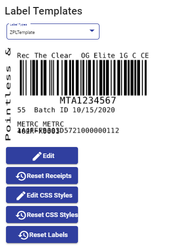
Label Template Designer
ZPL Label formatting provides precise formatting for labels. This ensures your labels are set up exactly for the label size you are working with, and the barcodes will scan very well.
Caption label (optional)
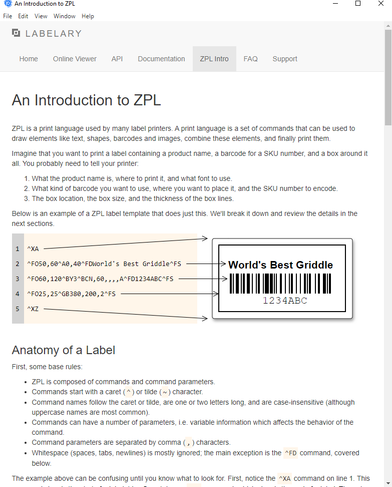
You can see how to format labels by using the Label link:
Caption label (optional)
We can provide quite a few templates that work for most business types. However, if you want to start building a variety of label designs, you will have to dedicate a bit of time to build your own template design.
ZPL Design Tip: You will have example templates to work with. While at first, the coding may seem complex, if you dedicate yourself 30 to 45 minutes to getting used to formatting, you will find it’s not as sophisticated as your first glance at the instructions. Keep in mind, you can always ask us for assistance.