💡 Printing Labels
There's a variety of ways you may print labels from Pointless.
- During a transaction, for example, exit labels for packaging of product
- Preparing products with packaging information
- Shelf Labels to identify items and prices
📃 Labeling
During a Sale Label Que
- During a sale, you might be preparing items for a customer. Those items might need a label. For items that are assigned label format, you will see a label button on the transaction line item. Or you can press the 'fire button' and that will print all unprinted labels
During a packaging Transaction
- Packaging transactions occur just like a sale would. You weigh the item, or put it on the order, and if there is a label template assigned to the item, the label button will be available to press.
Catalog Labels
- If you want to print a single label, or multiple cunts of a sing item, you may use the catalog to look up an item, then on the right side select 'label' You can then choose the label template you would like to use and the printer you would like to print to. There is also a quantity option.
{#} {#}
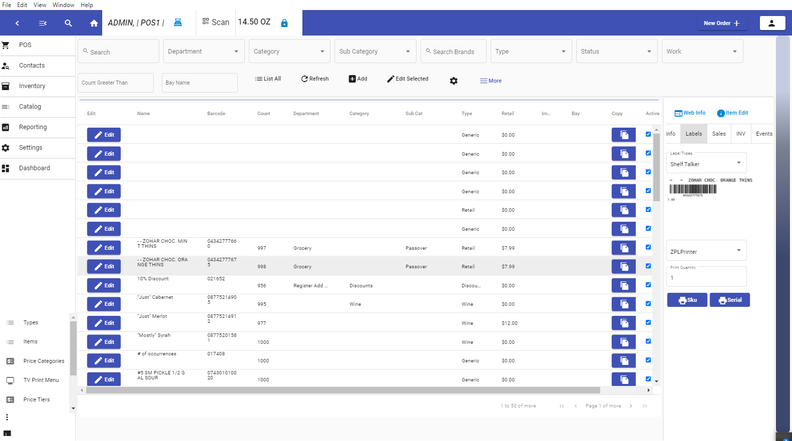
Label Selector