Initial Imports
Initial Import.
This is a step by step list. You may refer to the videos on youtube for a visual guide.
The first things you must do to intialize your METRC data are:
- Import Facilities
- Import Categories
- Import Item Types from Metrc Categories
- Import Departments from Metrc Categories (Automatic when importing item types)
Explanation:
Initially, you will want to import the categories and facilities. The following screenshots indicate the screens you should see and you can find them on the playground.
Usually, these are accessible from the lower menu, from the three dots. Once you import these there is very little to do with them, as they are data just provided to you, and you are not able to edit this information.
Facility Import:
This is a basic import. It is required, but you don't need to anything further than download it.
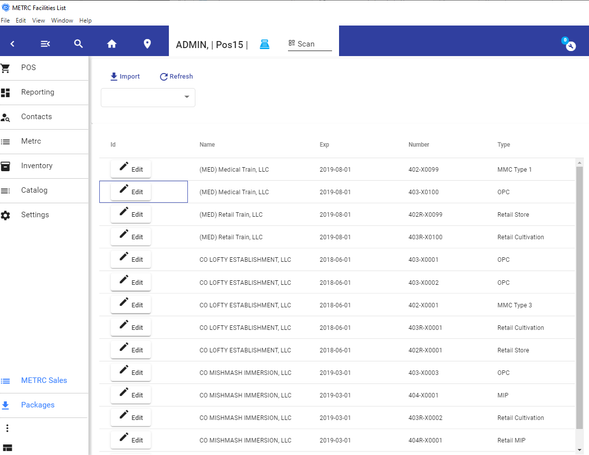
Caption label (optional)
METRC Categories:
These are the next things you should import. They provide some definitions that are required later.
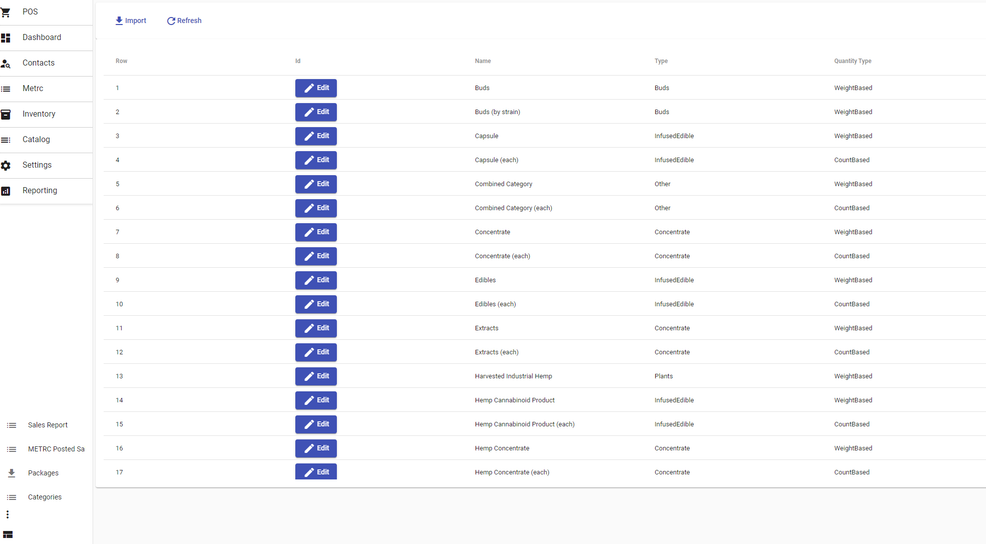
METRC Categories
Item Types
You should be able to go to Menu - Catalog - Types.
Press the button 'METRC Types' To filter out for the existing metrc types. If you don't see them, you should press '+ Metrc Types'
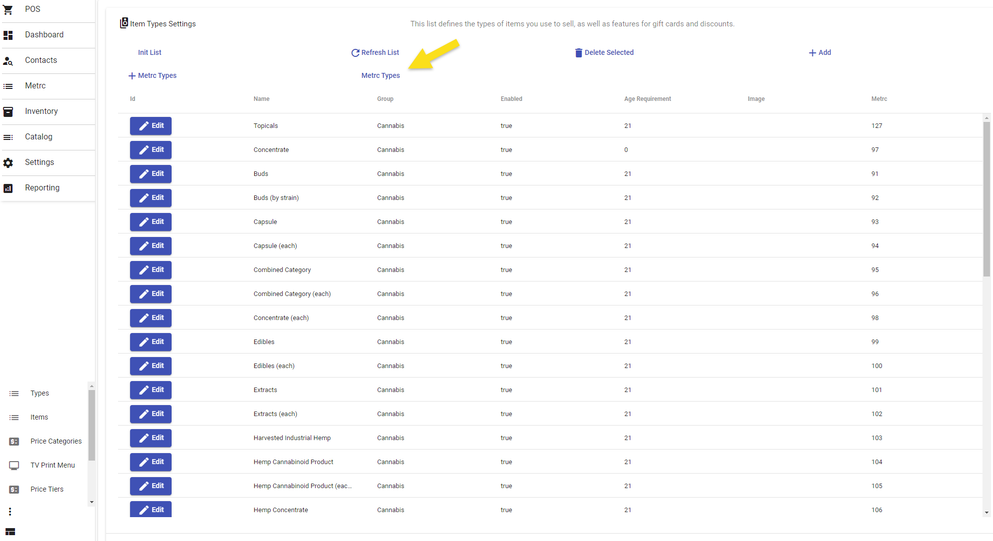
METRC Types