System Global Settings
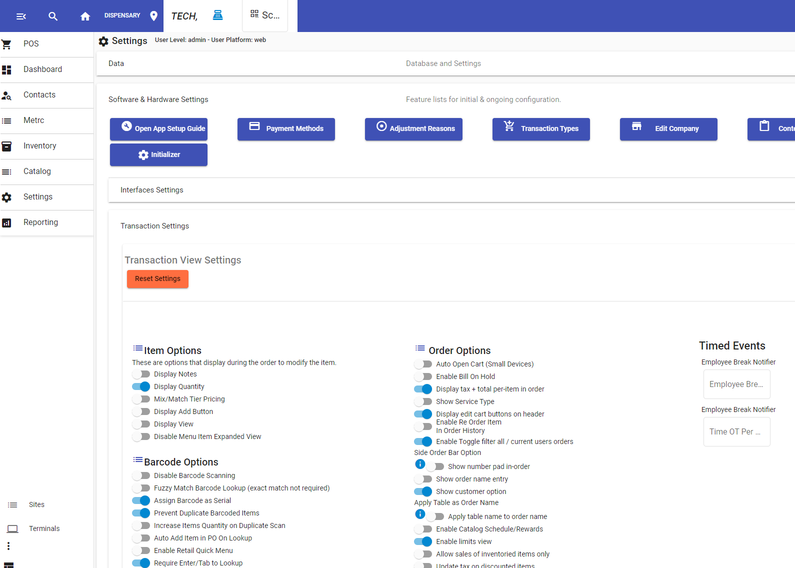
Using the image below as a reference, we now address some settings that are global to the POS System.
These are basic setings that should be applied. You may have other settings, but these are ones that are required. To get to these settings, navigate to Side Menu - Settings - Software & Hardware Settings - Transaction Settings.
Barcode Options
- Assign Barcode as Serial
- Prevent duplicate Barcoded Items
- Require Enter/Tab to Lookup
OrderOptions
- Display Tax Total Per Item in Order
- Display Edit Card buttons on header.
- Show Customer Option
- Enable Limits View
- Send Items for Prep At Close of Order - Ensures all Exit Labels Print.
Contact Validations
- Enable Med Patients
Settings