Import Purchase Order
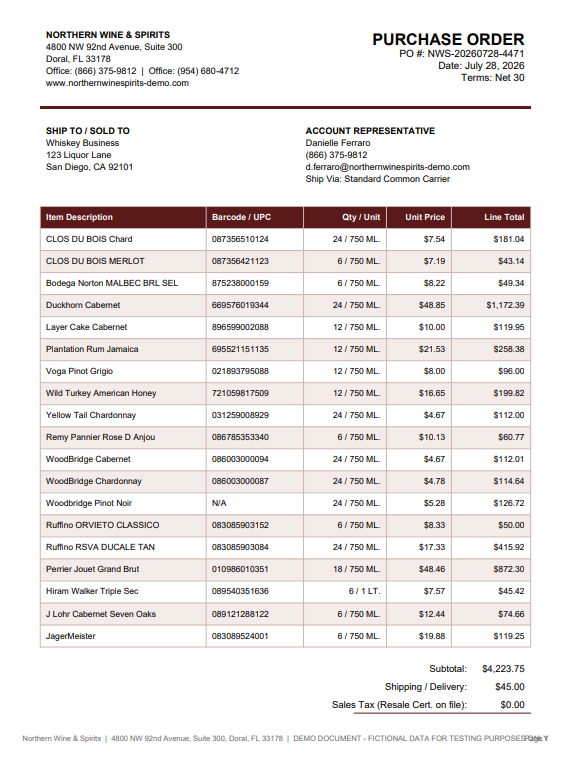
Hand Pointless MCP a supplier's purchase order and it reads the items, quantities, and prices directly into a purchase order in Pointless POS — updating your inventory automatically once received.
What MCP Reads
- Item descriptions and vendor item numbers — matched against your existing catalog by UPC, name, or vendor SKU
- Quantities and unit of measure — case, unit, or however the vendor lists it
- Unit price and line totals — used to update your cost fields when items are received
How It Works
- Start a new purchase order, or open an existing one, and provide MCP with the vendor's purchase order file (PDF, spreadsheet, or scanned document).
- MCP reads the item list, matching each line to a product in your catalog where possible.
- Items, quantities, and prices are loaded into the purchase order for you to review — similar to the CSV Import option, but without needing a specific file format.
- Confirm the imported items, then continue the normal purchase order workflow — receiving items, printing labels, and closing the order.
Items Not Found in Your Catalog
If MCP can't confidently match a line item to an existing product, it flags the item for review rather than guessing. You can create a new catalog item from the flagged line or match it manually before continuing.