Recipe Builder
How to build a recipe in 3 steps.
How To
First, you go to the sidebar menu, then catalog, then Kits & Recipes.
You can then add a new recipe.
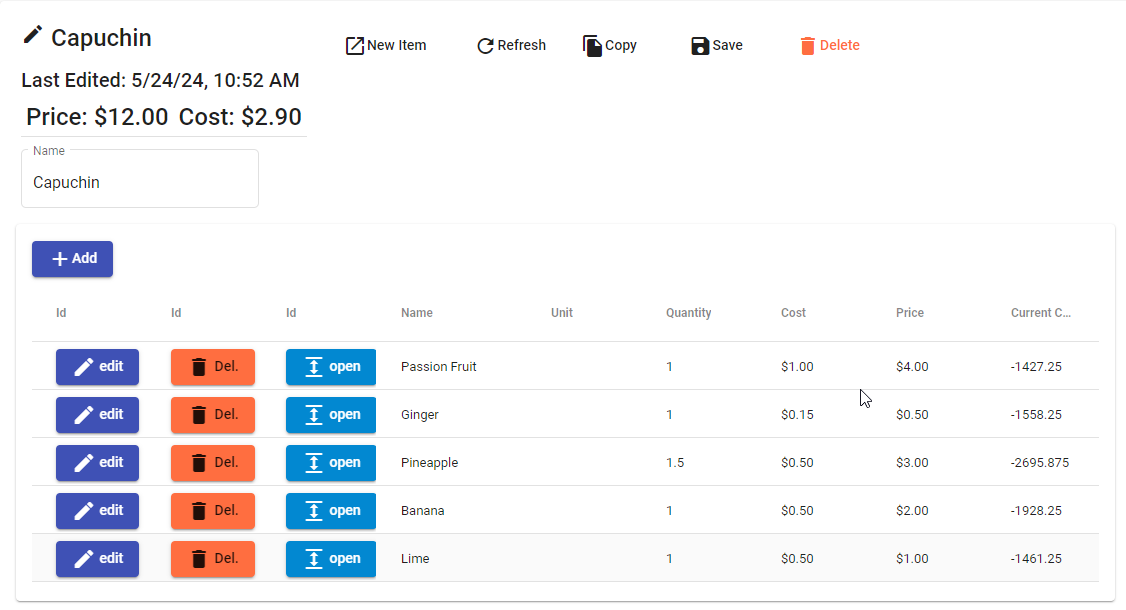
Simply add each line, and enter a product from your existing catalog. You can adjust the quantity and cost as needed. This will build you an estimated price/cost for the item you would assign this recipe to.
You may also build sub-recipes then assign them to one of the items you are assigning to a main recipe. This results in those sub-recipes being included in a final calculation of inventory when deducting values during a sale or transaction.
Next, go to the catalog item you want to assign the recipe to:
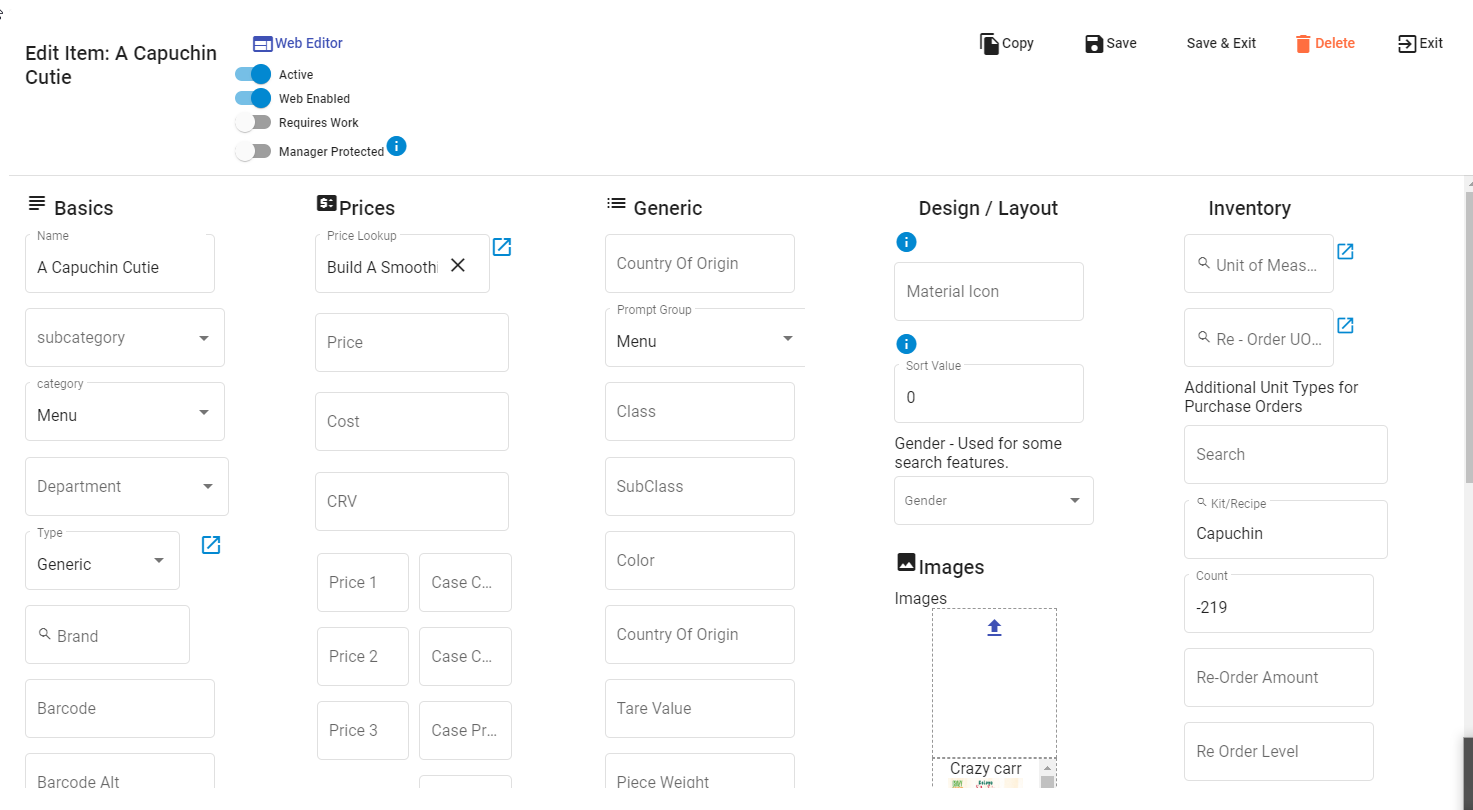
Find the property on the right-hand side of this screen for Kit/Recipe, and enter the name of the Recipe you just added. (in this case you should see Capuchin has been entered).
Many businesses have multiple sizes for items. This means you'll have different quantities deducted from inventory for the same Capuchin item, but a 20 oz , 16 oz or whatever measurement you are using.
From the Price Look-up field, in the second column at the top, press the expand option.
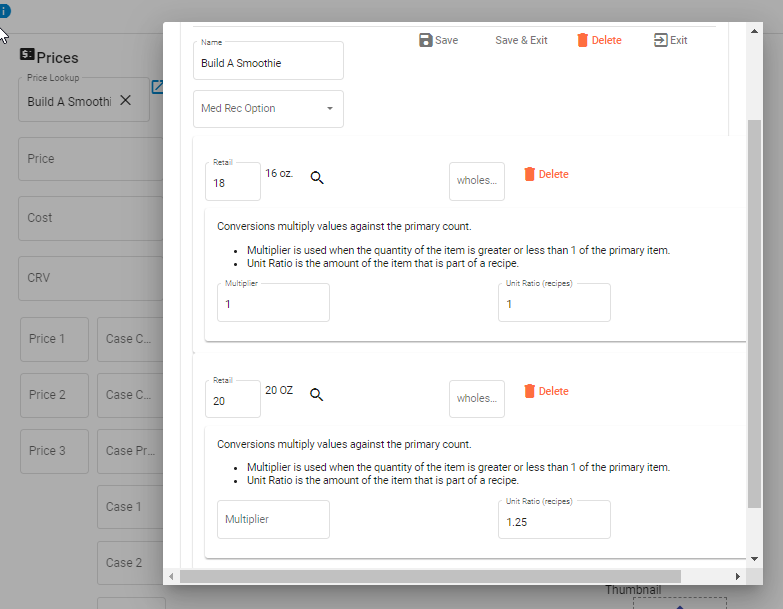
From the top of the price window pop up you may have to press 'conversions' to see the unit ratios as they are entered here. But this shows you how a recipe will properly be considered when determining cost and the amount of inventory to reduce your components.
Validation of work:
To validate your expected experience, you would create some items. Set the inventory of the sub-items to 100, do transactions; and then check the components count.