Inventory Reconciliation
What It's For
This kind of transaction updates the product count field in the Catalog of items. If you do not use the inventory module, this is how you would reconcile your product count/inventory.
How to Do a Reconciliation
From the Item Catalog, use the filters to create a smaller list of items to reconcile. You may use the Department, Category, or Item Type to filter.
Then use the More menu button. You'll find the reconciliation button in the More menu. When you press it, it will open a new transaction with the items that are > 0. So all of your 0 items or negative items will not be included in the reconciliation.
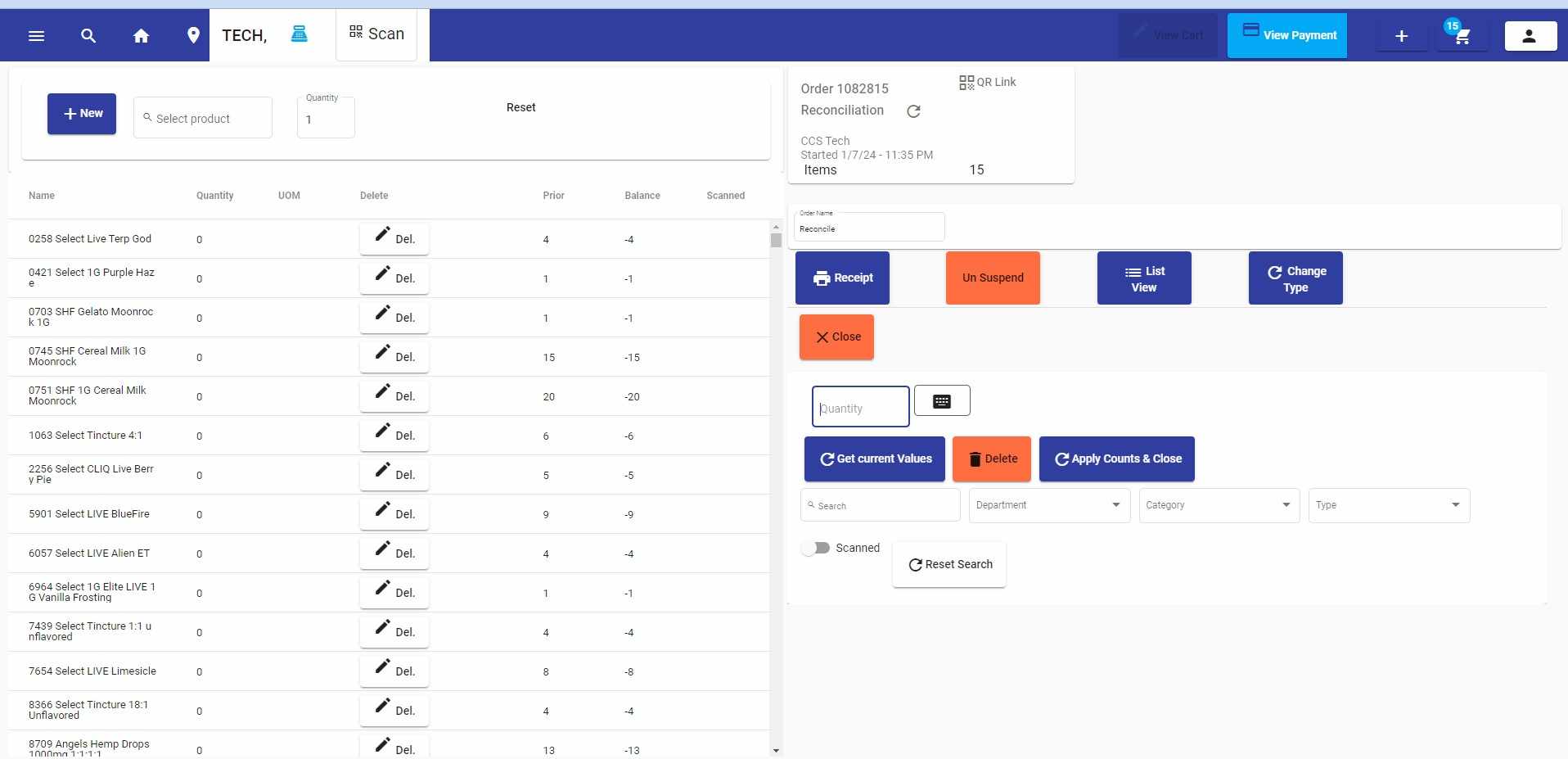
Once in the Reconciliation transaction (pictured below), input the quantity of product you have. There are features to search for the items in the list and update them. It can be done from any browser/tablet.
Once you are done, press Apply Counts & Close.
The transaction sits in the suspended orders. You may go to the Orders, then Search, and select Suspended Orders.